On Mac
Pull down your shelf.
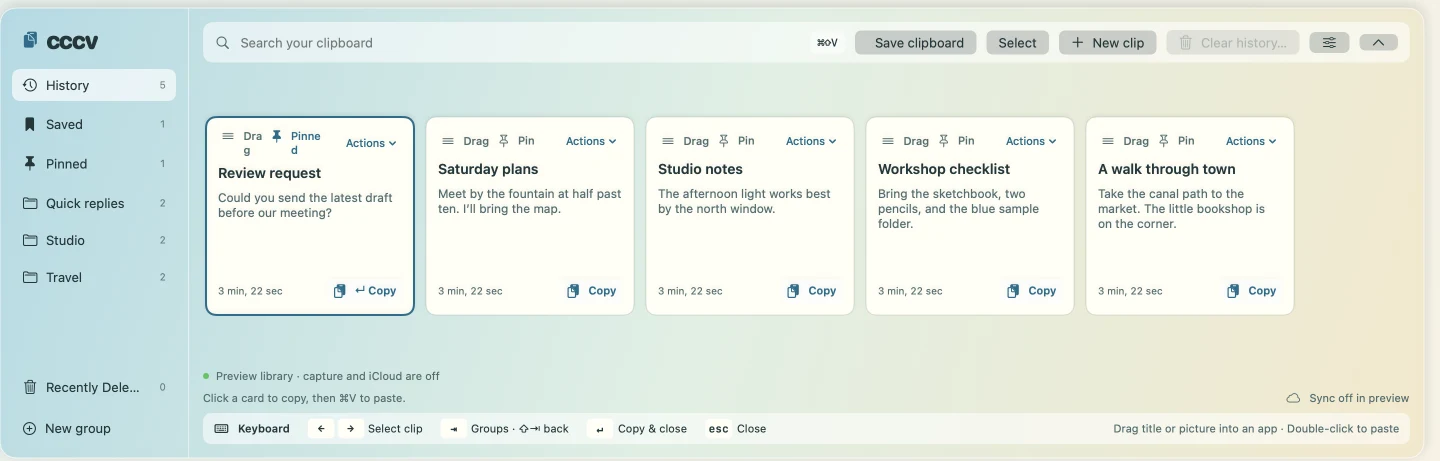
Press ⌘ ⇧ V to see recent clips. Drag a card into a document, or move it to a group for later.
 cccv
iPhone, iPad & Mac
A clipboard shelf for the replies, links, and pictures you reach for again.
See it on your deviceFree · Coming to the App Store
Choose a clip to insert it in the message.
On Mac
Press ⌘ ⇧ V to see recent clips. Drag a card into a document, or move it to a group for later.
On iPhone and iPad
Switch to cccv with the globe key and tap a saved reply to insert it. For pictures, copy the card and paste it into your app.
Using your usual keyboard? Choose Share → cccv → Save to keep something for later.
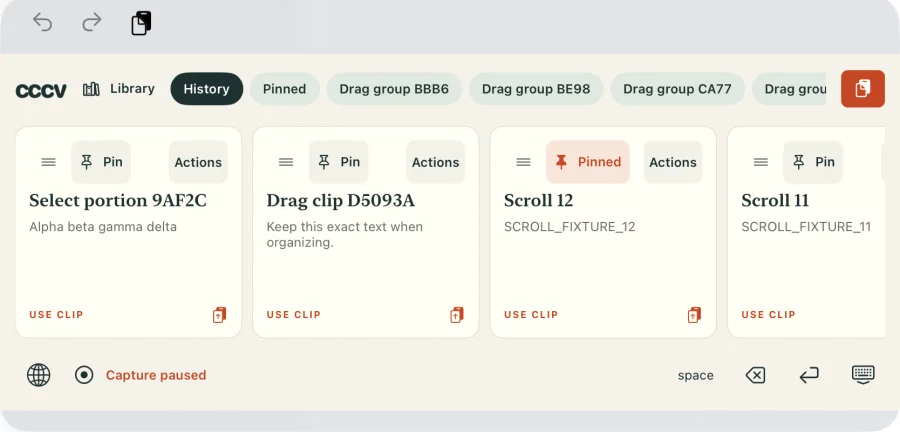
On iPhone and iPad, capture works while cccv is open or its keyboard is visible, with paste permission. On Mac, it runs while the menu-bar app is open. You can pause it on any device.
Your library stays on your device. Turn on iCloud Drive and open cccv on devices using the same Apple Account to sync clips, titles, pins, and groups.